


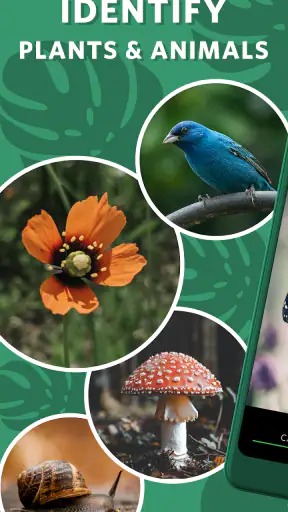
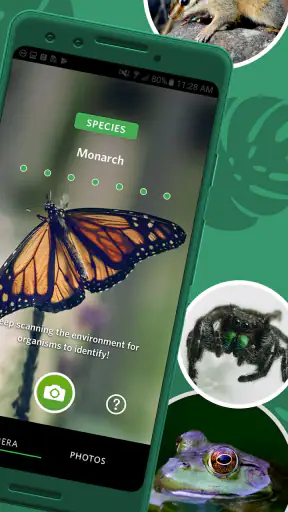
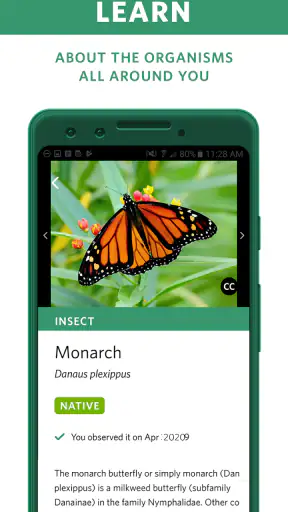
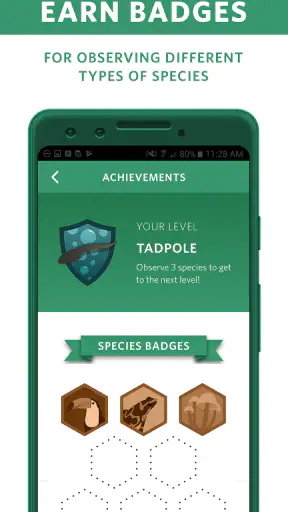
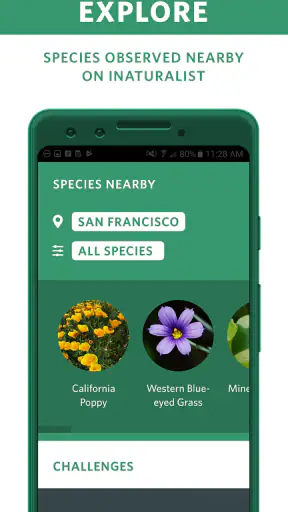
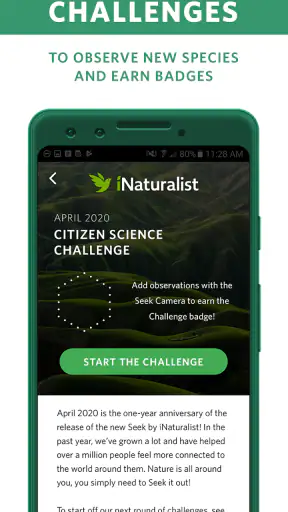
When I use Seek by iNaturalist, I am not opening it as a replacement for a field guide. I use it as a quick way to turn a walk into an identification exercise. The central capability is simple: I point the phone at a plant or animal, and the app helps me work out what I am looking at. That sounds modest, but it changes the pace of an ordinary walk because curiosity no longer has to wait until I get home and search through several pages of pictures.
Seek is a free education app from iNaturalist, aimed at identifying plants and animals for a general audience. It is available to everyone rather than being designed only for specialists, and it runs on Android devices using version 7.0 or later. I think that combination matters: the app is approachable enough for a child, a casual walker, or someone who has never used a natural-history guide, while still giving the experience enough structure to encourage closer observation.
The identification feature is most useful when I treat it as a conversation with the camera rather than an instant answer machine. I show the app the subject, move closer or change the angle, and pay attention to what it can actually see. The result is not merely a label on a screen. It is a prompt to notice shape, color, leaves, wings, bark, or other visible details that I might otherwise ignore. The real benefit is not just naming nature; it is learning how to look at it.
How the identification experience works in practice
The first practical lesson is to give the app a clean subject. A whole hedge, a crowded flower bed, or a distant bird creates a harder identification problem than one plant or animal filling most of the frame. I usually pause, avoid blocking the light with my hand, and take several seconds to frame the feature that separates the subject from its surroundings. This small habit makes the experience feel less random and gives me a better chance of receiving a useful result.
For plants, I do not rely on a single view if the first result seems uncertain. I try the flower, then the leaves, and then the overall shape. A close-up of a flower can be helpful, but it can also hide the plant’s structure. A leaf may look distinctive on its own while being shared by several unrelated species. Comparing views is therefore more valuable than repeatedly photographing the same blurred patch. Seek becomes more educational when I use it to test an observation instead of simply accepting the first suggestion.
Animals require a different approach. A slow insect on a wall is an easier subject than a fast bird crossing the sky. I avoid chasing wildlife with the phone, both because the camera struggles with movement and because getting too close can disturb the animal. For small creatures, a steady frame and a visible body shape are usually more useful than a dramatic but distant shot. If the animal disappears, I would rather keep the memory of the encounter than turn the moment into a frustrating search for a perfect image.
One detail I appreciate is that identification can become a reason to inspect the surroundings. After the app gives me a likely direction, I look again at the habitat: Is the plant growing in shade or open ground? Is the insect on a flower, a wall, or near water? Those observations help me judge whether the suggestion makes sense. The app cannot replace context, but it encourages me to collect context, which is exactly the habit a beginner needs.
I also recommend treating the result as a starting point rather than a scientific certificate. Common species and clear subjects are where the experience feels most satisfying. Similar-looking species, damaged leaves, immature insects, poor lighting, and unusual local varieties can make identification more difficult. If the answer seems surprising, I take another image and compare the visible details before repeating the label to someone else. That extra pause prevents the most common mistake: confusing confidence on a screen with certainty in the field.
Seek works particularly well as a learning loop. I notice something, make an identification attempt, inspect the subject again, and remember one or two features. On the next walk, I start recognizing those features before opening the camera. That is a more lasting result than collecting a long list of names. I have found that the app is at its best when it gradually reduces how much I need it, because I begin to recognize familiar plants and animals on my own.
For families, the process also gives a walk a natural rhythm. Instead of asking a child to read a long explanation first, I can let them choose one subject, frame it, and then ask what they notice about it. The phone supplies a question, not just an answer: Why does this leaf look different? What else is growing nearby? Is this the same kind of insect we saw earlier? That makes the app more useful than a novelty camera effect.
A realistic afternoon use case
Imagine taking a short walk through a local park after rain. The ground is full of small plants, insects are active around the flowers, and there is no practical way to carry a separate guide for every possibility. I would use Seek selectively rather than photographing everything. I might begin with one unfamiliar plant, capture a clear view, and then compare its leaves with another plant nearby. Later, I could inspect an insect resting on a railing and use the surrounding habitat as part of my judgment.
The important part of that scenario is the choice to slow down. If I hurried from subject to subject, the app would become a button that produces names I quickly forget. By limiting the session to a few interesting finds, I turn each identification into a small lesson. A parent can ask the child to predict the answer first; a beginner can write down a visual clue; a more experienced observer can use the app to challenge an initial guess. The same capability supports different levels of knowledge without requiring the walk to become a formal class.
There is another useful workflow for people who travel. Before visiting a new green space, I would not expect the app to teach me every species in advance. Instead, I would use it during the visit to build a personal sense of what is actually present there. That is more grounded than browsing a general list because the observations come from the place in front of me. It also helps me notice how a familiar type of plant or insect can look different in a new environment.
Seek can fit into schoolwork as well, especially for an observation assignment. A student can choose a small area, identify a few visible organisms, and compare their locations or physical features. The educational value comes from the process: framing the subject, checking the result, and describing why the result seems plausible. I would still encourage a teacher or adult to review important identifications, but the app can make the first stage of investigation much less intimidating.
Where the app is less comfortable
The same simplicity that makes Seek friendly can feel limiting to someone who wants a deep reference tool. I would not choose it as my only resource for detailed taxonomy, difficult species comparisons, or formal documentation. A dedicated field guide may offer more written explanation, diagnostic keys, regional context, and carefully organized comparison images. If my goal were to distinguish several nearly identical species, I would want those tools available rather than depending on a quick visual suggestion.
There is also a practical difference between identifying a subject and proving an identification. Seek can help me form a reasonable hypothesis, but the responsibility for checking an unusual result remains with me. This matters most when a plant could be confused with another species, when an animal is only partly visible, or when the image does not show the features that experts normally use. I would never use a casual identification as the basis for eating a wild plant, handling an unfamiliar animal, or making a safety decision.
Image quality affects the experience more than a store summary might suggest. A dirty lens, backlighting, motion blur, or a subject hidden among similar colors can turn a promising observation into a weak one. My best workaround is not a complicated setting; it is better field technique. I steady the phone, take a second view, and include enough of the subject to show its structure without letting the background dominate. When possible, I photograph in even light rather than forcing a shot in harsh contrast.
Another trade-off is attention. A phone can make nature more interesting, but it can also pull me away from nature. I try to decide beforehand whether I am taking a short identification break or spending the whole walk with the camera open. For children, this boundary is especially helpful: identify one thing, put the phone down, and look for the next subject with unaided eyes. The app works best when it supports observation rather than replacing it.
The public response is mixed enough to set expectations realistically. Seek has an average rating of 3.3 from around ten thousand ratings, with roughly one and a half thousand written reviews. That does not tell me exactly how it will perform on a particular phone or in a particular location, but it does suggest that the experience will not feel equally smooth for everyone. I would install it because the core idea is useful, not because a rating promises flawless recognition.
The app has passed the million-install mark, which makes it a familiar choice among nature-learning tools. It was released on January 18, 2019, and the current version is 2.18.1. Those details are useful when deciding whether an older phone can run it or whether an update may be needed. I would check that the device meets the Android requirement before planning a trip around it, especially if the phone is several years old.
How it compares with ordinary alternatives
The most obvious alternative is a web search using a photograph. Search engines can be powerful, but they often return a mixture of similar images, commercial pages, and unrelated results. Seek feels more focused during a walk because the experience is built around looking at living subjects in front of me. I do not have to invent the right search phrase before I know what I am seeing. On the other hand, a web search is often better when I already have a distinctive clue and want a long explanation or several independent sources.
Printed field guides have a different strength. They do not depend on a battery or a camera, and they encourage deliberate comparison. I like them when I am sitting down with time to study a region or a particular group of species. Seek wins on portability and immediacy, especially for beginners, but a book can be calmer and more informative once the initial curiosity has passed. I see the two as complementary rather than competing replacements.
Specialized identification apps may be preferable for a serious hobbyist who already knows the group they are studying. A bird-focused guide, for example, may provide more relevant detail for someone who spends every weekend identifying birds. Seek makes more sense when my interests are broad and unpredictable: one day a flower, the next day a beetle, and later a tree. Its value is the breadth of the encounter, not deep specialization in one narrow subject.
Compared with simply asking another person, Seek offers privacy and convenience in the moment, but a knowledgeable naturalist can explain uncertainty in a way an automated result cannot. I often learn more from someone pointing out a stem, underside, or habitat clue than from a name alone. That is why I would use the app to prepare a better question for an expert, not to avoid human guidance when the identification really matters.
Who benefits most from this particular approach
I recommend Seek most strongly to curious beginners, families, walkers, travelers, and students who want a gentle entry into identifying plants and animals. It is also a good fit for someone who feels that field guides are too dense or that nature observation is only for experts. The free price removes an important barrier, and the Everyone content rating makes it suitable for shared use across a household or classroom setting.
It is less suitable for a person who needs dependable expert-level identification on every attempt. If I were preparing a formal species inventory, checking a legally protected organism, or making a decision involving food or safety, I would use additional authoritative resources and, where appropriate, expert confirmation. The app can shorten the path from “What is that?” to “I have a likely idea,” but it should not be treated as the final authority in high-stakes situations.
There is also a personality question. People who enjoy collecting precise records, reading long descriptions, and comparing tiny anatomical differences may outgrow Seek’s approachable style. That is not a failure; it means the app has done its job as an entry point. Someone who wants a quick, visual invitation to explore will probably appreciate it more than someone who wants a complete research library in a phone.
My practical advice is to use it with a three-step rule: frame one subject clearly, question the result with a second view, and remember one visible clue before moving on. That approach gets more educational value from the same identification capability and reduces the temptation to photograph everything without learning anything. It also makes the app useful even when the result is uncertain, because the observation itself still improves.
After using it this way, I see Seek by iNaturalist as a friendly bridge between casual curiosity and serious nature study. Its strongest effect is not that it can put a name on every leaf or creature. It is that it gives me a reason to stop, inspect, compare, and ask better questions. For a free education app developed by iNaturalist, that is a worthwhile role. I would recommend it to anyone who wants walks to feel more observant, provided they are comfortable treating its suggestions as helpful starting points rather than unquestionable conclusions.


